

Core Fundamentals (Phase 1)
- Ethen Dent

- Feb 22
- 4 min read

As someone who specialised in Matchmove and Layout, I ought to brush up on my 3DE knowledge as well as fill in any gaps I may have had. The plan is to go through all of Science D-Visions tutorial content to ensure I (re)cover anything I need to know in 3DE. This post consists of PHASE 01 - CORE FUNDAMENTALS.
05/02/26
INSTALLATION GUIDE 3DEQUALIZER4
So we’re not practicing any skills yet. Just going through the installation guide and I’ve prepped a rough order to the tutorial material I will go through in the coming couple weeks. By tomorrow, we should be actually learning the software package. The intention is that this month, I will be progressing through the entire Science D-Vision library to be thorough. Not much else to say. 3DE is installed and after communicating to Science D-Vision in regards to their retired Personal Learning Edition, they have allowed me a free trial to practice on.

07/02/26
3DEQUALIZER INTRODUCTORY PROJECT - PART 1
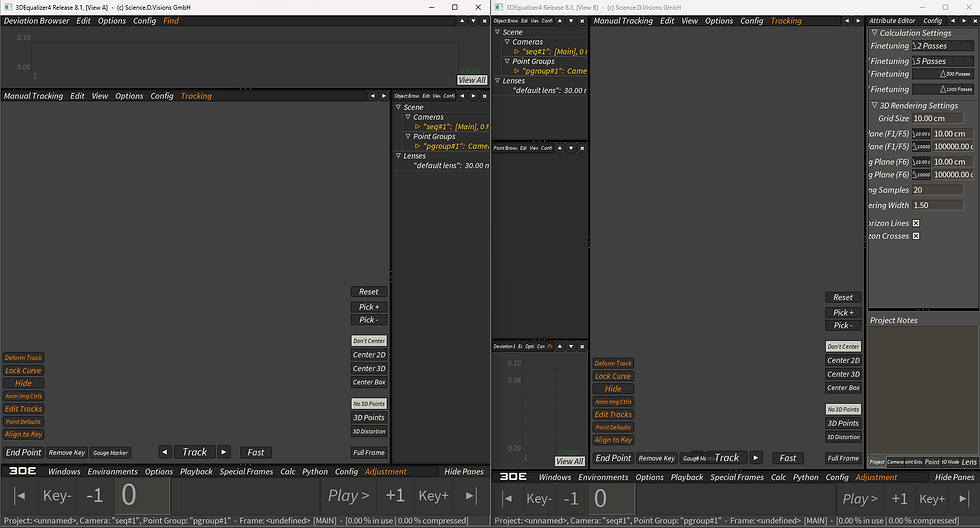
Here I’m messing around with 3DE navigation, options and environments. Not much to show, but I’ve got a screenshot that shows I’m getting accustomed to the navigation again. It looks like in the next tutorial, I’m actually solving a track.
11/02/26
3DEQUALIZER INTRODUCTORY PROJECT - PART 2
In this tutorial, I simply followed along and solved the track. I even created some simple geometry associated with the shot to demonstrate the track is solved effectively. What I would do differently next time is utilize as much information as possible during the 2D tracking step. During this tutorial, I wanted to go back and track more 2D points but it was changing the alignment of points and set geometry.
13/02/26
2D TRACKING - PART 1
In this tutorial, I am returning to the same sequence to focus on the 2D tracking step.This time, I added points to all noticeable features before parameter adjustment. Because I’ve done this beforehand, I can now set up geometry on the floor as well, which I didn’t do last time.
13/02/26
2D TRACKING - PART 2
I’m going over the tutorial and it’s going over a couple things that I can’t try out with the shots I have: Compensate Luminous Changes - the tutorial goes over a shot with an explosion that creates a lot of light, making the shot difficult to track. CLC is a feature that is self-explanatory and compensates for big light changes in a shot. Reference Patterns - the tutorial goes over 2 shots here, one of the seas where the tutorial goes over gradual pattern changes, hence using ‘Reference Pattern: Previous Frame’. And the second one consists of utilizing Reference Pattern: Previous Keyframe’, and ‘Create Keyframes while tracking’.

14/02/26
EDIT 2D TRACK TOOLS
I think the intention of this tutorial is just to go over functionality of the 2D track tools. However, the issue I have with this tutorial, is that it doesn’t go over the why? Or doesn’t utilize this tool in a context where it matters. It’s difficult for me to understand why I would use this if I approached a shot in the future when here, it’s stated at the end that it would in fact be quicker and more accurate to just track the feature. After a little bit of research, I understand the tool’s usage a little better. There are some tech docs provided by Science D-Vision to explain what contexts the tools would be used for. Essentially, the key usage for the tool is: Manual correction of Tracking Curves Inserting CVs from other tracked points to “heal” gaps in existing tracks. Refining low quality tracks when working with noisy or underexposed plates Utilizes an extremely accurate, live-editing, non-destructive workflow.

I went back to my previous 2D track and utilised track deformation to estimate one of the tracking markers that disappears behind the computer monitor. Whilst I don't particularly need this marker, it does demonstrate that the deformation is accurate within a pixel. I can get the 2D track more accurate by spending more time on it and tweaking it but it's not necessary.
20/02/26
AUTOTRACKING
Here, I’m demonstrating my initial use of the autotracking engine in 3DE and I’m able to achieve a decent track. The interesting part here is the masking to exclude points. Spending more time on the mask will bring the mask closer to ‘Trackboy’ in order for the autotracking engine more space to track points. I’m curious what scenarios I would need to import a sequence for the mask instead of making one here. And I’d like to practice masking in more difficult tracks to understand the time frame of the process.

21/02/26
MULTIPLE POINTGROUPS
I’m going over the multiple point group lesson and I’ve understood tracking objects after the camera solve. Next time, I’d deviate from the lesson when adding geometry to check the camera solve. I think it would be better to integrate the geometry to match what is in the plate. Having a CG box that mimics the movement and position of the blue box exactly and then comp it in would be a better practice.

22/02/26
ZOOMING
The final tutorial in PHASE ONE, I'm going over solving a track that zooms out, changing it's focal length over the course of the sequence.

CONCLUSION
These exercises covered are fundamental to build habits for more complex shots. The exercises in this phase provides the foundation for the following phases and the tracks that I have planned later down the line.
What I’ve been listening to:


Comments