

3DEqualizer Phase 02 - Solving, Lenses & Lineups
- Ethen Dent

- 1 day ago
- 2 min read

ETHEN DENT
As someone who specialised in Matchmove and Layout, I ought to brush up on my 3DE knowledge as well as fill in any gaps I may have had. The plan is to go through all of Science D-Visions tutorial content to ensure I (re)cover anything I need to know in 3DE. This post consists of PHASE 02 - SOLVING, LENSES & LINEUPS.
23/02/26
LENS DISTORTION

In this tutorial, I’m going over calculating distortion via checkerboard grids at varying focal lengths of a zoom lens. What I’d like to do next is apply what I’ve learnt here to solve a track that utilised this lens distortion curve. There is a zooming tutorial in PHASE 01 that appears to use the same lens. Next step is to take this distortion curve and apply it to the zooming track.
24/02/26
LINEUP CONTROLS

This tutorial explains using set geometry to lineup a shot and then keyframe the lineup for some frames to keep it lined up throughout the shot. The issue with this is that the geometry is slipping on the plate so more frames are needed to be keyframed for higher accuracy. The next step is taking this set geometry to my track for 2D Part 1 and adding the geometry there.
25/02/26
OPTIMISING LENS PARAMETERS - PART 1

All of which was discussed in this tutorial is covered in the 3DE4 Introductory Project. I went over this tutorial just to ensure there weren't any missed details or methods.
n/a
OPTIMISING LENS PARAMETERS - PART 2
Unfortunately when following along with this tutorial, the distortion calculation cannot run as there aren’t enough matrix points within the shot. The tutorial shown probably shows a legacy method that is either in a different location or discontinued for some reason. The tutorial goes over calculating distortion via straight lines in different frames.
25/02/26
PLANE CONSTRAINTS - 3DE4 R7.1

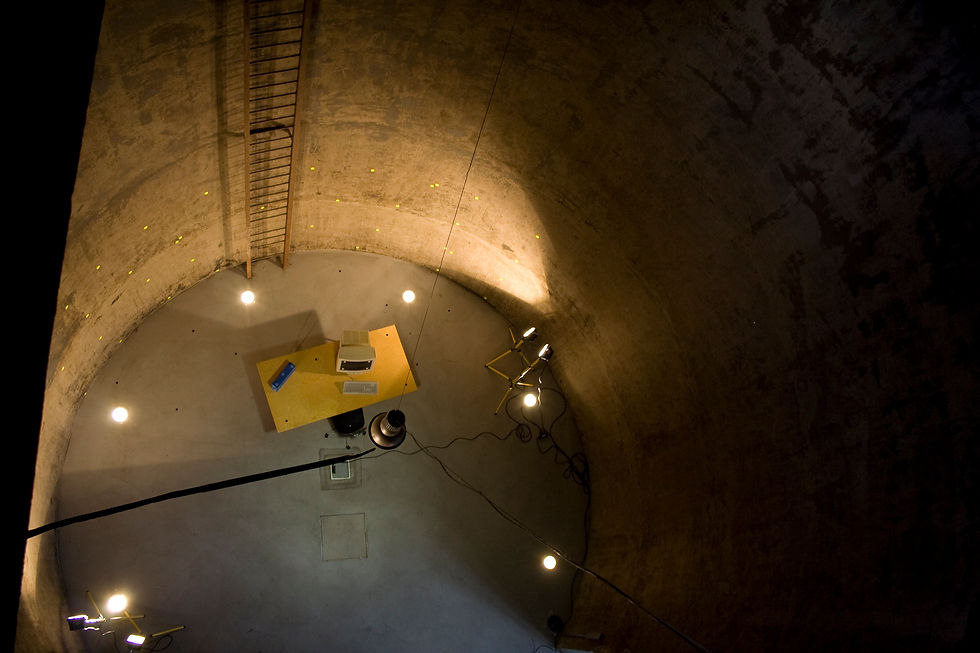
The shot that is within this tutorial isn’t in the tutorial download files. Therefore, I followed the tutorial, applying the methods to the stA shot that I worked on previously (2D Tracking, Introductory Project, etc.). I applied plane constraints to the floor, table and box using points I had tracked in the 2D tracking tutorial. Based on the reference below, there weren't any other planes within the shot (wall tracked markers cannot be used due to a curved surface). Definitely an extremely useful method for improving accuracy for solves, especially when using the autotracking engine.
What I’ve been listening to:


Comments